 Skip to content
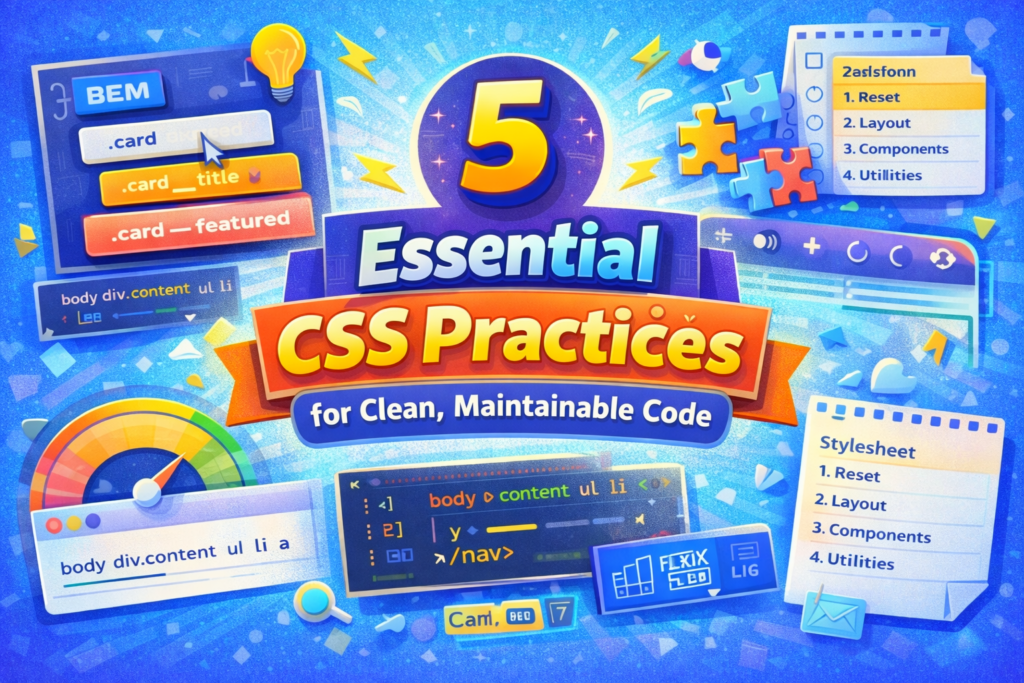
Writing CSS that scales and is maintainable, is based upon a foundation of core CSS best practices.
Do you remember how easy writing CSS used to feel? You would create a few rules, things looked pretty good, and you were moving on. However, months later, you wanted to change one color and half of your site was broken. Or, you opened a stylesheet from an old project and spent twenty minutes just trying to figure out where anything was. Yeah, I have been there too. This is why I started caring about CSS best practices. It is not about being fancy, it is about self preservation.
In my view, CSS best practices represent the habits that prevent your code from becoming a disaster. These are the differences between a stylesheet you are proud of and one you are terrified to touch. So, let’s take a closer look at five main areas that can completely change how you write CSS.
1. Be Serious About How You Name Things
When it comes to the chaos of CSS, it almost always begins with the names we select for our classes. You know the routine. Someone wants a red button, so they name it .red-button. Then later, that button needs to be blue in a different context, so another person adds .blue-button. Before you know it, you are dealing with .left-panel-final-v2 and .style1. And when those intersect? Out comes the !important hammer and suddenly you’re in the middle of a specificity battle you can’t win.
A solid naming strategy will solve this issue. I am a fan of the BEM (Block, Element, Modifier) naming convention. While it may seem technical, it is simply a method. Blocks are standalone components such as a card. Elements are parts of blocks, such as card__title or card__image. Modifiers are variations, such as card–featured or card–compact. Double underscores and hyphenates may appear unusual at first, but they tell you what a class does and where it is supposed to be used.
The benefits are enormous. Once you have developed a consistent naming strategy, you will guess less. You will naturally avoid nesting deeply and creating overly specific selectors since you won’t require them. Additionally, when you collaborate with others, establishing a naming convention at the beginning will save you from numerous “what does this class do?” conversations.
2. Organize Your Stylesheets
Honesty hour – Have you ever opened a CSS file and immediately felt horror? This occurs when there is no organization. It is merely a stack of rules on top of each other, and locating anything involves endless scrolling or searching with Ctrl+F and hoping for the best.
Structure will assist you greatly. Organizing a toolbox is similar to organizing a stylesheet. You wouldn’t throw all your tools in a pile; you would organize them by function. CSS stylesheets follow a similar principle. Start with your base styles, resets, fonts, variables that everything else will rely on. Next, move on to layout, grids, containers, the large structural components. Following that, your components will receive their own segment, buttons, cards, navigation. Finally, your utility segment for those one off spacing and/or alignment adjustments. Lastly, the final segment for any overrides or theme specific items.
You can keep everything organized within a single file by including clear comments separating sections. Alternatively, as your project expands, you could separate them into multiple files and utilize a preprocessor like Sass to connect them together. Regardless of your preference, when you know where things reside, you will hunt less and develop more rapidly.
Additionally, there is a minor trick that assists: Choose a property ordering and adhere to it. Some individuals alphabetize. Other people categorize by type: positioning first, followed by box model related properties like margin and padding, then typography, then colors and effects. I do not care which you prefer, just choose one. When every rule uses the same rhythm, scanning becomes incredibly efficient.
3. Make Performance a Component of Your Work Flow
Something you may not have realized is that CSS can slow down your website. Not drastically, generally, but small inefficiencies accumulate. Bloated selectors, duplicate rules, heavy effects, etc., all cause the browser to operate harder than necessary.
An easy win is utilizing simple selectors. Browser engines scan them from right to left, so something like body div.content ul li a causes the engine to evaluate an excessive number of conditions. Anytime possible, utilize class selectors since they are quicker and simpler to override.
Another tiny habit that pays dividends: Utilize shorthand properties. Rather than writing margin-top, margin-right, margin-bottom, and margin-left individually, use margin. Shorthand properties are applicable for padding, border, and background as well. It uses fewer characters and cleaner code.
Be smart concerning expensive properties like box-shadow, filter, or border-radius. Contemporary browsers can manage them without issues, however, adding too many heavy effects on-screen simultaneously, particularly while scrolling, and you’ll see jank. And when you animate, limit yourself to transform and opacity. These operate on the GPU and remain silky smooth.
Lastly, tools like PurgeCSS or UnCSS can automatically remove unused styles. In massive projects, it is alarming how much useless code accumulates. A rapid cleanup can significantly reduce the size of your CSS file.
4. Create Code That Will Not Haunt You Down the Line
All of us have created CSS that worked perfectly at the moment but was impossible to alter six months later. That is technological debt, and it is a nightmare. The key to preventing it is considering maintainability from the outset.
To begin with, embrace the DRY principle, Don’t Repeat Yourself. If you are continually typing the identical hexadecimal color or spacing value, you are generating additional difficulties for potential revisions. Use CSS Custom Properties (Variables) to store your design tokens. Put your company colors, spacing scale, and font sizes in a single location. Afterward, when your designer eventually alters that primary blue, you will modify it once and done.
And please, I’m begging you, use !important only when absolutely unavoidable. Even though it appears to be a temporary solution, it disrupts the cascade and generates a tremendous amount of challenges for subsequent modifications. If you’re resorting to !important, it’s typically an indication that your specificity is unmanageable. Correct the underlying issue rather than applying a Band-Aid.
Comments are significant, yet, use them judiciously. Avoid stating the apparent. Provide clarification for the peculiar workaround you employed due to a browser bug, or indicate why a particular rule exists. Future you will be grateful for the context.
Finally, consider modularly. Develop components that can be utilized everywhere. A button should appear as a button regardless of where it is located, the header, a sidebar, or a dialog. As long as your styles do not rely on environment, they will be far more predictable and reusable.
5. Maintain Current with Modern CSS (Responsible)
Modern CSS has progressed substantially. We now possess Grid for complex layouts, Flexbox for one dimensional configurations, Custom Properties for dynamic themes, clamp() for flexible typography, logical properties for internationalization, and the list continues. Maintaining up with current developments is a fundamental aspect of being a skilled front end developer.
Grid and Flexbox collectively address nearly every layout requirement. Grid excels at two dimensional layouts where you are concerned with both rows and columns. Flexbox is suitable for navigation bars, row cards, or aligning items in one direction. Learn both, and you will infrequently turn to obsolete techniques.
Custom Properties are a major breakthrough. They enable you to dynamically alter values, even with JavaScript. This allows live theme switching, interactive designs, and a tremendous reduction in repetition. If you have not begun using them, seriously, attempt them.
However, here lies the catch, verify browser compatibility. Resources like Can I Use are your allies. Most projects’ new features are safe, but when you require to support older browsers, include fallbacks. Do not allow older browser requirements to deter you from utilizing the excellent features for the bulk of your consumers, simply be aware of them.
Additionally, possibly delay using the newest spec that could potentially evolve or experience spotty execution. Thoroughly test prior to committing.
New to HTML? Start Here: HTML Tutorial for Beginners: Your Complete Introduction to HTML Basics
New to CSS? Start Here: CSS Introduction: Master 5 Core Concepts Easily
[INSERT_ELEMENTOR id=”122″]

