 Skip to content
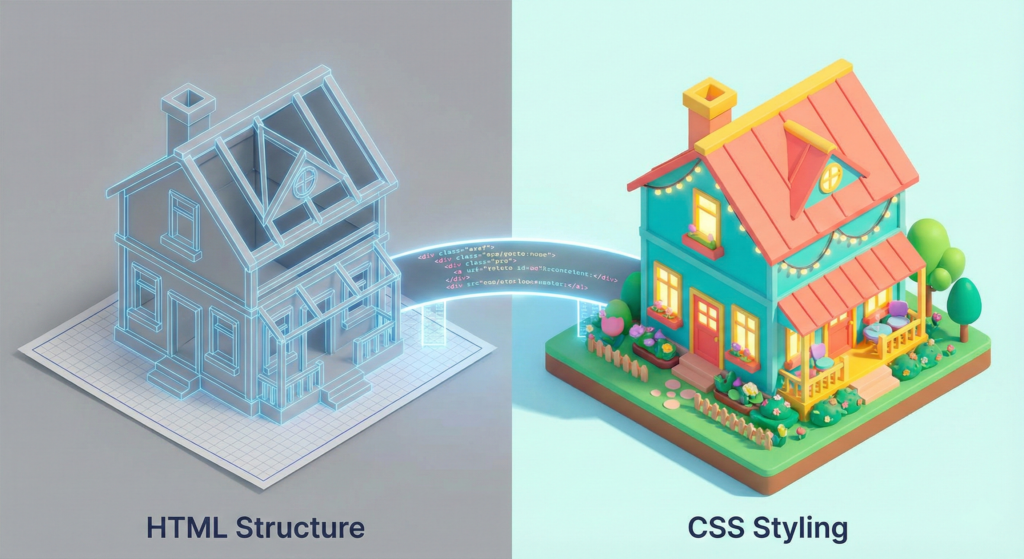
Alright, so you’ve built your HTML. It’s solid, it makes sense, and everything is right where it should be. But you look at it and, yeah, it’s kind of boring, isn’t it? It’s all structure and no personality. This is exactly the moment you reach for CSS.
Let me put it this way. If that HTML you just built is the frame, the beams, and the foundation of your house, then CSS is everything that makes it a home. It’s the coat of paint, the comfy couch, and the garden out front. This language, Cascading Style Sheets, is how you tell the browser to make your page look good. It handles the color, the spacing, the fonts, and the layout. It takes your raw content and turns it into something people actually want to look at.
I know style can feel like a designer’s job, but stick with me. You don’t need an art degree to get the basics of CSS. You just need to figure out how it communicates with your HTML and learn a few simple commands to start bending it to your will.
How CSS and HTML Work as a Team
Getting this relationship is the whole game. Your HTML tags, think of your <h1> headings and <p> paragraphs, are just sitting there. They’re like actors standing on a bare stage, waiting for direction.
Here’s where CSS comes in as the entire production crew. It’s the director telling them where to stand, the costume designer dressing them, and the lighting tech setting the vibe. It whispers to each element, “Hey, you there, here’s how you should look.”
You make that happen by writing rules. A CSS rule is basically a straightforward instruction: “For all the things that match this description, please look like this.”
And here’s a beautiful part, these rules typically live in their own file, like styles.css, completely separate from your .html file. This “separation of concerns” is a lifesaver. It means you can do a total visual overhaul, switch from light mode to dark, or change your entire color scheme without ever messing with your actual content. Just edit the CSS file. The power you get from that simple split is honestly kind of crazy.
Breaking Down the Core Syntax of CSS
Let’s get practical. Every bit of CSS you write follows a simple pattern:
css
selector {
  property: value;
}
You have a selector, and then a set of declarations inside those curly braces that define the how. Each declaration is just a property and a value, separated by a colon.
Let’s write a real one:
css
p {
  color: forestgreen;
  font-size: 1.125rem;
  line-height: 1.7;
}
Here’s what the browser does when it reads that:
- Selector:
pmeans “find every single paragraph on the page.” - Declaration Block: The browser applies these changes to all of them.
- Make the text color
forestgreen. - Set the font size to
1.125rem. - Set the line height to
1.7for breathing room.
- Make the text color
See? You’re not performing magic. You’re just pointing to something and giving it very specific adjustments. It’s like tweaking settings in a video game menu.
Getting Specific with CSS Selectors
Styling every paragraph the same way gets old fast. You need to be able to pick and choose. That’s where selectors get more interesting.
- The Class Selector (
.): This is your daily driver. In your HTML, you addclass="intro"to a paragraph. In your CSS, you target it with.intro { }. You can use the same class on many elements, which is perfect for a consistent look. - The ID Selector (
#): You addid="main-header"to a unique element, meant for one-use per page. In your CSS, you grab it with#main-header { }. It’s a more powerful hook than a class. - Contextual Selectors: Want to style only the links inside your nav menu? You can write
nav a { }. This tells the browser, “Only style anchor tags that are nested inside a<nav>tag.” It’s precise.
Wrapping your head around selectors is the key to going from clumsy to controlled. I still check the MDN guide on selectors all the time. It’s the best reference out there.
Understanding the CSS Box Model
Here’s the single most important thing to learn, and the one that causes the most head-scratching when you’re starting out. To CSS, every single thing on your page is a rectangle. A box. Your heading is a box. Your image is a box. That paragraph is a box.
The “Box Model” is just the way CSS defines the layers of that box, from the inside out:
- The Content: Your actual words or picture.
- The Padding: The clear space inside the box, around the content. Think of it like the mat inside a picture frame.
- The Border: The edge of the frame itself.
- The Margin: The empty space outside the box, shoving other boxes away. Its personal bubble.
Here’s the classic “gotcha”. When you write width: 300px, you’re usually just setting the width of the content. The total width on screen becomes content + padding + border + margin. No wonder things sometimes end up way fatter than you planned.
That’s why most of us now start our CSS with * { box-sizing: border-box; }. It switches the math so that width: 300px means the entire box is 300px wide. It just makes sense. If you want the deep, official specs, the W3C documentation has them, but the border-box trick is the practical takeaway.
Making the Connection: Linking Your CSS File
You’ve got a beautiful CSS file. How does your HTML know about it? You have to link them. Just drop a single line inside the <head> of your HTML document.
html
<link rel="stylesheet" href="styles.css">
This line is your bridge. The browser sees it, loads your styles.css file, and applies every rule you wrote. It’s the simple, crucial step that brings your styling to life.
A Quick and Essential CSS Tip for Responsiveness
Before I let you go, here’s one rule that’s so small but so important. People browse on everything from a tiny phone to a giant desktop. Your CSS has to cope. While responsive design is a whole topic, start with this:
css
img {
  max-width: 100%;
  height: auto;
}
This tells every image, “Feel free to shrink down to fit your container, but never stretch bigger than your actual size.” This one line stops images from exploding your layout on mobile. It’s a lifesaver.
Your Turn to Experiment with CSS
So that’s it, the real nuts and bolts of an introduction to CSS. You know what it is, how it teams up with HTML, how to target stuff, and that everything is a box. The theory is done.
Now, the real learning starts in your code editor. Make an index.html and a style.css file. Link them. Then just play. Try to make a paragraph red. Give a heading a weird font. Break your layout with huge margins. Then figure out how to fix it.
That messy, hands-on experimentation is where this all becomes second nature. Before you know it, you’ll be crafting the look and feel of your pages without even thinking about it. Go break some stuff, then make it beautiful.
New to HTML? Start Here: HTML Tutorial for Beginners: Your Complete Introduction to HTML Basics
[INSERT_ELEMENTOR id=”122″]

