 Skip to content
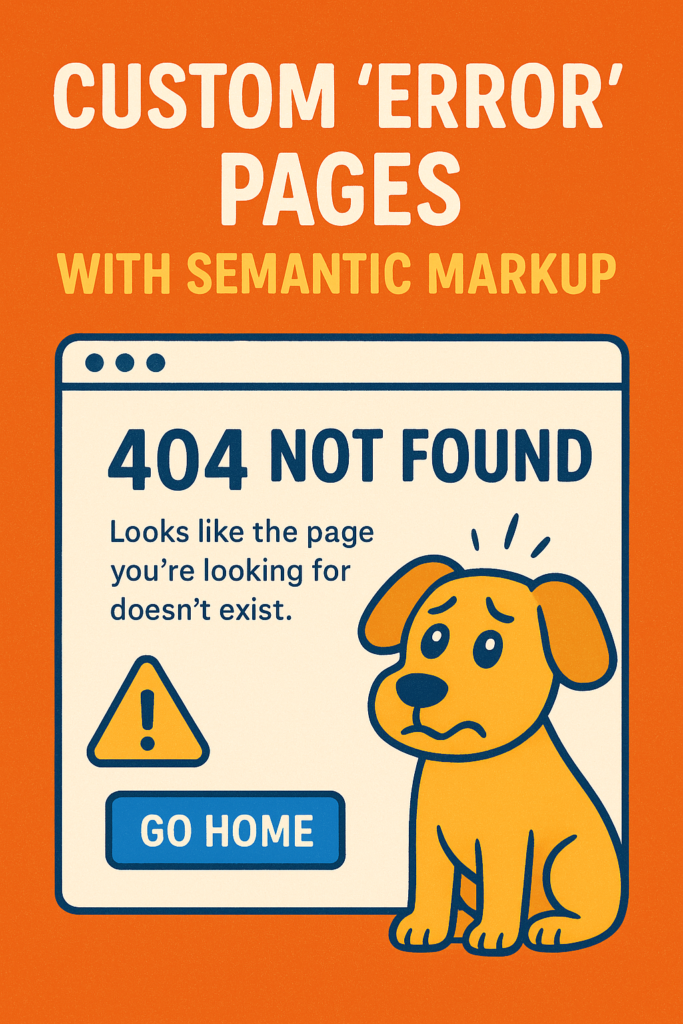
Custom “Error” Pages with Semantic Markup: Fix Your Terrible Error Pages
Creating Custom “Error” Pages with Semantic Markup can transform frustrating dead ends into helpful detours. Let’s talk about that stomach dropping moment we’ve all had. You click a link, full of hope maybe it’s that article you bookmarked or a product you need and instead of the good stuff, you get nothing. Well, not nothing. You get a cold, empty page that says “404 Not Found” in the ugliest font your browser has.
It feels like a slap in the face. The website basically shrugs and says, “Not my problem.” You’re stuck. Do you hit back? Start over? Just give up? Most people just leave. And honestly, who can blame them?
Here’s the thing we developers forget: broken links happen. Servers have bad days. But treating that broken state as a technical afterthought is a huge missed opportunity. What if, instead of a dead end, that error page could be a helpful detour? What if it could actually make users trust you more?
That’s the magic of building Custom “Error” Pages with Semantic Markup. It’s not about making a “pretty” 404 page with a cute illustration (though that’s nice). It’s about building a page with a solid HTML backbone that guides, reassures, and works for everyone.
Why Custom “Error” Pages with Semantic Markup Are a Must
The standard error page is a failure on every level. Think about it:
- The tone is robotic and scary. “404 Not Found” is jargon. It’s what servers say to each other, not what you say to a human.
- It offers zero help. No suggestions. No search box. No way out except the back button.
- It looks broken. It doesn’t match your site’s design at all, which makes the whole site feel unreliable.
- It’s often inaccessible. The structure is meaningless to someone using a screen reader. It’s just a wall of text.
A Custom “Error” Page with Semantic Markup flips the script. Its only job is to:
- Calm the user down with friendly, plain-language messaging.
- Explain what went wrong in a way that doesn’t blame them.
- Give them clear, obvious next steps to get back on track.
- Look and feel like the rest of your trustworthy website.
The Blueprint for Custom “Error” Pages with Semantic Markup
“Semantic markup” can sound like academic nonsense. But for an error page, it’s your practical blueprint for Custom “Error” Pages with Semantic Markup. It means using HTML tags that actually describe what the content is, not just how it looks. It’s the difference between a house made of proper lumber and one made of random plywood scraps. They might look similar from the outside, but one will hold up in a storm.
Here’s what that blueprint looks like for a 404 page. Let’s walk through the code like we’re building it together.
html
<!DOCTYPE html>
<html lang="en">
<head>
    <title>Page Not Found (404) | My Awesome Site</title>
    <!-- All your usual CSS and meta tags go here -->
</head>
<body>
    <!-- Keep your normal header! It's a lifeline. -->
    <header>
        <nav aria-label="Main menu">
            <!-- Your site navigation here -->
        </nav>
    </header>

    <!-- This is the most important part of the page -->
    <main>
        <article aria-labelledby="page-title">
            <header>
                <h1 id="page-title">Yikes! We've lost that page.</h1>
                <img src="/images/confused-dog.svg" alt="" aria-hidden="true">
            </header>

            <div>
                <p role="status" aria-live="polite">
                    The page you're looking for has vanished. It might have been moved, or the link might be old. It's not you, it's us (well, our missing page).
                </p>

                <section>
                    <h2 class="sr-only">Here's what you can do:</h2>
                    <ul>
                        <li><a href="/">Head back to our home page</a></li>
                        <li>Try searching for what you need right below.</li>
                        <li><a href="/contact">Tell us something's broken</a> – we'll fix it!</li>
                    </ul>
                </section>

                <!-- A real, working search bar is pure gold here -->
                <form role="search" aria-label="Search our website">
                    <label for="search" class="sr-only">Search</label>
                    <input id="search" type="search" placeholder="What are you looking for?">
                    <button type="submit">Search</button>
                </form>
            </div>
        </article>
    </main>

    <!-- Keep your footer, too. Consistency is comforting. -->
    <footer>...</footer>
</body>
</html>
Let’s break down why this markup for Custom “Error” Pages with Semantic Markup is so much better:
<main>and<article>: These tags tell browsers and screen readers, “Hey, the important content on this page is right here.” It helps people navigate straight to the help instead of wading through other stuff.- One Clear
<h1>: The page has one job: explain the error. One big, friendly heading (tied to the article witharia-labelledby) makes that crystal clear. - The Magic of
aria-live="polite": This is a pro move. Addingrole="status"andaria-live="polite"to the message paragraph means screen readers will automatically announce it when the page loads. The user knows instantly what happened without having to search. It’s like someone politely tapping them on the shoulder to explain. For more on this technique, the MDN guide on ARIA Live Regions is essential reading. - Hidden Headers for Clarity: That
<h2 class="sr-only">is a visually hidden heading. Sighted users won’t see it, but screen reader users will hear “Here’s what you can do:” before the list. It adds crucial context, structuring the page for their ears. - Persistent Navigation: Keeping your site’s header and footer is non-negotiable. It makes the error feel like a temporary detour on your site, not an ejection into the void.
Extending Custom “Error” Pages with Semantic Markup to Other Errors
The same semantic logic for Custom “Error” Pages with Semantic Markup applies to other errors, but the tone needs to shift.
For the “500 Internal Server Error” (Our Bad)
This is your server having a meltdown. The user needs apology and reassurance, not troubleshooting steps.
- Heading: “We’re having a moment.”
- Message: “Something went wrong on our end. It’s not you, it’s us. Our team has been paged, and we’re scrambling to fix it. Try again in a few minutes?”
- Focus: Empathy. Maybe add a link to your status page if you have one.
For the “403 Forbidden Error” (Access Denied)
This is sensitive. The user is being told “no.” Clarity is key to avoid confusion and frustration.
- Heading: “Access Required”
- Message: “You need special permission to see this page. If you should have access, try <a href=”/login”>logging in</a> with a different account.”
- Focus: Clear, non accusatory explanation and a direct path to resolution (login, request access).
Styling Your Custom “Error” Pages with Semantic Markup
The styling should be clear, calm, and focused. No flashing red alarms. This CSS complements your Custom “Error” Pages with Semantic Markup by creating the right visual tone.
css
/* Center the apology/help message */
main {
    min-height: 60vh;
    display: grid;
    place-items: center;
    text-align: center;
    padding: 2rem;
}

/* Big, friendly, but not shouty text */
h1 {
    font-size: clamp(2.5rem, 5vw, 3.5rem);
    margin-bottom: 1rem;
    color: #222; /* Use your brand's dark color, not default black */
}

/* Make the helper list inviting */
ul {
    list-style: none;
    padding: 0;
    margin: 2.5rem 0;
    font-size: 1.1rem;
}

li {
    margin: 1rem 0;
}

/* Standard visually-hidden class */
.sr-only {
    border: 0;
    clip: rect(0 0 0 0);
    height: 1px;
    margin: -1px;
    overflow: hidden;
    padding: 0;
    position: absolute;
    white-space: nowrap;
    width: 1px;
}
The Lasting Value of Custom “Error” Pages with Semantic Markup
At the end of the day, building Custom “Error” Pages with Semantic Markup is a quiet act of respect. It shows you care about the user’s experience even when things go wrong especially when things go wrong. Anyone can make a site that works perfectly on a sunny day. But how you handle the broken links, the server crashes, and the permission slips says everything about your craftsmanship. You’re not just coding for the ideal path, you’re building guardrails and helpful signs for the unexpected detours.
That kind of attention to detail is what turns casual visitors into loyal users. They might not even notice the clean HTML or the perfect ARIA attributes, but they’ll feel it. They’ll feel heard, helped, and respected. For more inspiration and examples of excellent error pages, Smashing Magazine’s roundup of 404 pages is a fantastic resource. That’s the best kind of user experience you can build, and it starts with thoughtful Custom “Error” Pages with Semantic Markup.
New to HTML? Start Here: HTML Tutorial for Beginners: Your Complete Introduction to HTML Basics
[INSERT_ELEMENTOR id=”122″]

