 Skip to content
Deprecated Tags & Modern Alternatives: Fix Your Aging HTML
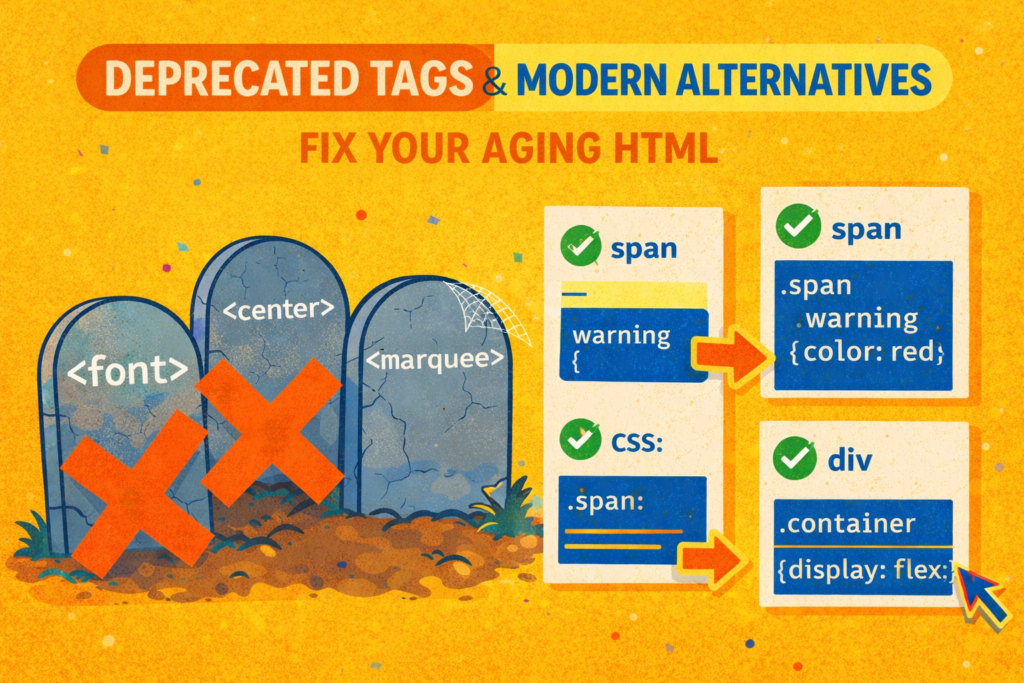
Understanding Deprecated Tags & Modern Alternatives is essential for maintaining a healthy, modern website. You know the feeling. You’re poking around an old company website, or maybe you’ve just inherited a project from a developer who retired in 2008. You open the code and there it is: a <font> tag specifying Comic Sans. A <center> tag wrapping everything. And then, like a ghost from the dial up era, a <marquee> tag slowly scrolling some text across the screen.
It’s a weird mix of nostalgia and horror. It’s like finding your old Myspace page. You cringe, but part of you misses the simpler times.
Those tags are more than just old, they’re deprecated. That’s the official word for “the web standards body has retired this, please stop using it.” It’s not a suggestion. Using them today is like showing up to a construction site with a stone hammer. You might make a dent, but everyone else is using power tools.
But this isn’t about making fun of old code. It’s about understanding a huge shift in how we build for the web. This guide to Deprecated Tags & Modern Alternatives will show you how moving away from these relics leads to sites that are easier to maintain, more accessible, and way more powerful. Let’s clear out the attic and replace that junk with tools that actually work.
The Core Philosophy: Why We Need Deprecated Tags & Modern Alternatives
Here’s the simple, brilliant idea that made tags like <font> obsolete: HTML should describe what something is, not what it looks like. This principle is at the heart of Deprecated Tags & Modern Alternatives.
Back in the day, HTML had to do both jobs. It was a mess. Code looked like this:
html
<body bgcolor="gray" text="white">
  <font face="Arial" size="4" color="yellow">
    <center>
      <b>Welcome to My Homepage!</b>
    </center>
  </font>
  <marquee>Under Construction!</marquee>
</body>
See the problem? If your boss said, “Hey, can we change the font from Arial to Georgia?” you’d have to hunt through every single page of the site. If you wanted to print the page, that bgcolor="gray" would tank someone’s ink cartridge. And for someone using a screen reader? This code is just a jumble of meaningless instructions.
The fix was to split the jobs up, which defines the need for Deprecated Tags & Modern Alternatives:
- HTML becomes the skeleton. It says, “This is a heading, this is a paragraph, this is the navigation.”
- CSS becomes the skin and clothes. It says, “The heading is big and blue, the paragraph uses this font, the navigation sits on the left.”
- JavaScript makes it move. “This menu opens when you click.”
Deprecated tags broke this rule. They were HTML tags that tried to do CSS’s job, and we’re all better off for retiring them.
A Guide to Common Deprecated Tags & Modern Alternatives
Let’s look at the most common relics and what to use instead. Think of it as a trade-in program for your code. This is the practical application of Deprecated Tags & Modern Alternatives.
1. The Styling Tags (<font>, <center>, <big>, <strike>)
These tags only existed to make things look a certain way. That’s now CSS’s entire purpose.
- The Problem: They bake the visual style directly into your content. It’s impossible to manage at scale.
- The Modern Alternative: Use a semantic tag (like
<p>,<span>, or<h1>) and style it with CSS.- Instead of this:
<font color="red" face="Verdana">Warning!</font> - Do this:html<p class=”warning”>Warning!</p>css.warning { color: red; font-family: Verdana, sans-serif; font-weight: bold; }
- Instead of
<center>: Usetext-align: center;in your CSS. To center a box itself, usemargin: 0 auto;. - Instead of
<strike>: If something is actually deleted, use the semantic<del>tag. If it’s just for looks, usetext-decoration: line-through;in CSS.
- Instead of this:
2. The Frameset Fiasco (<frameset>, <frame>)
Remember when websites were like a photo collage, with separate scrollable boxes? That was frames.
- The Problem: They were an accessibility and usability nightmare. You couldn’t bookmark a specific “page” inside the frame. Screen readers got lost. They were terrible for SEO.
- The Modern Alternative: Need to embed a separate document (like a YouTube video)? Use a modern
<iframe>. Need a layout with a sidebar and main area? That’s what CSS Flexbox and Grid are for.html<div class=”page-wrapper”> <aside>Sidebar Nav</aside> <main>Your actual content here</main> </div>css.page-wrapper { display: grid; grid-template-columns: 200px 1fr; }
3. The Forgotten Niche Tags (<applet>, <acronym>)
<applet>: This was for Java applets. They’re dead. For interactive graphics, use JavaScript with the<canvas>element.<acronym>: It was confusing and poorly supported.- The Modern Alternative: Use the
<abbr>tag. It’s the correct, universal way to mark up abbreviations. Always pair it with atitleattribute.html<p>The <abbr title=”World Wide Web Consortium”>W3C</abbr> sets the standards.</p>
Don’t Forget Deprecated Attributes
The cleanup of Deprecated Tags & Modern Alternatives also hit old styling attributes:
bgcolor="green"→ Usestyle="background-color: green;"(or better, a CSS class).align="right"→ Usestyle="float: right;"orstyle="text-align: right;"border="5"→ Usestyle="border: 5px solid black;"
How to Implement Deprecated Tags & Modern Alternatives in Legacy Code
You probably can’t overhaul a legacy system overnight. Here’s a sane approach for applying Deprecated Tags & Modern Alternatives.
- Don’t Panic. The site is probably still working.
- Use a Validator. Run your HTML through the W3C Markup Validation Service. It will neatly list every deprecated tag and attribute.
- Fix as You Go. If you’re tasked with updating a page, use modern code for the new work. Don’t add new
<font>tags. - Upgrade with Purpose. When you do replace an old tag, do it right. Turn
<font size="7">Title</font>into a proper<h1>and style it with CSS. You’ll improve the site’s structure and accessibility in one go. - Test, Test, Test. Make sure your shiny new CSS looks the same (or better) than the old, clunky HTML did.
Why Mastering Deprecated Tags & Modern Alternatives Matters
Replacing a <center> tag with CSS isn’t just about being technically correct. It’s about building things that last. Understanding Deprecated Tags & Modern Alternatives has real impact.
- You’ll Save Your Future Self Hours of Work. Changing a website’s theme should mean editing one CSS file, not searching and replacing in ten thousand HTML files.
- You’ll Make the Web More Usable for Everyone. Semantic HTML gives crucial context to screen readers and other assistive tools. For a complete list of deprecated features, the MDN Web Docs on deprecated elements is an authoritative resource.
- Your Sites Will Be Faster and More Flexible. Clean HTML is simpler for browsers to load. CSS is designed for powerful, responsive layouts that
<table>-based designs could never handle.
Think of deprecated tags as fossils. They’re cool to look at and remind us how far we’ve come. But you don’t build the future with fossils. By using modern HTML and CSS, and understanding Deprecated Tags & Modern Alternatives, you’re building things that are cleaner, stronger, and ready for whatever comes next.
New to HTML? Start Here: HTML Tutorial for Beginners: Your Complete Introduction to HTML Basics
[INSERT_ELEMENTOR id=”122″]

