 Skip to content
Building Data Grids: Your HTML Table Blueprint
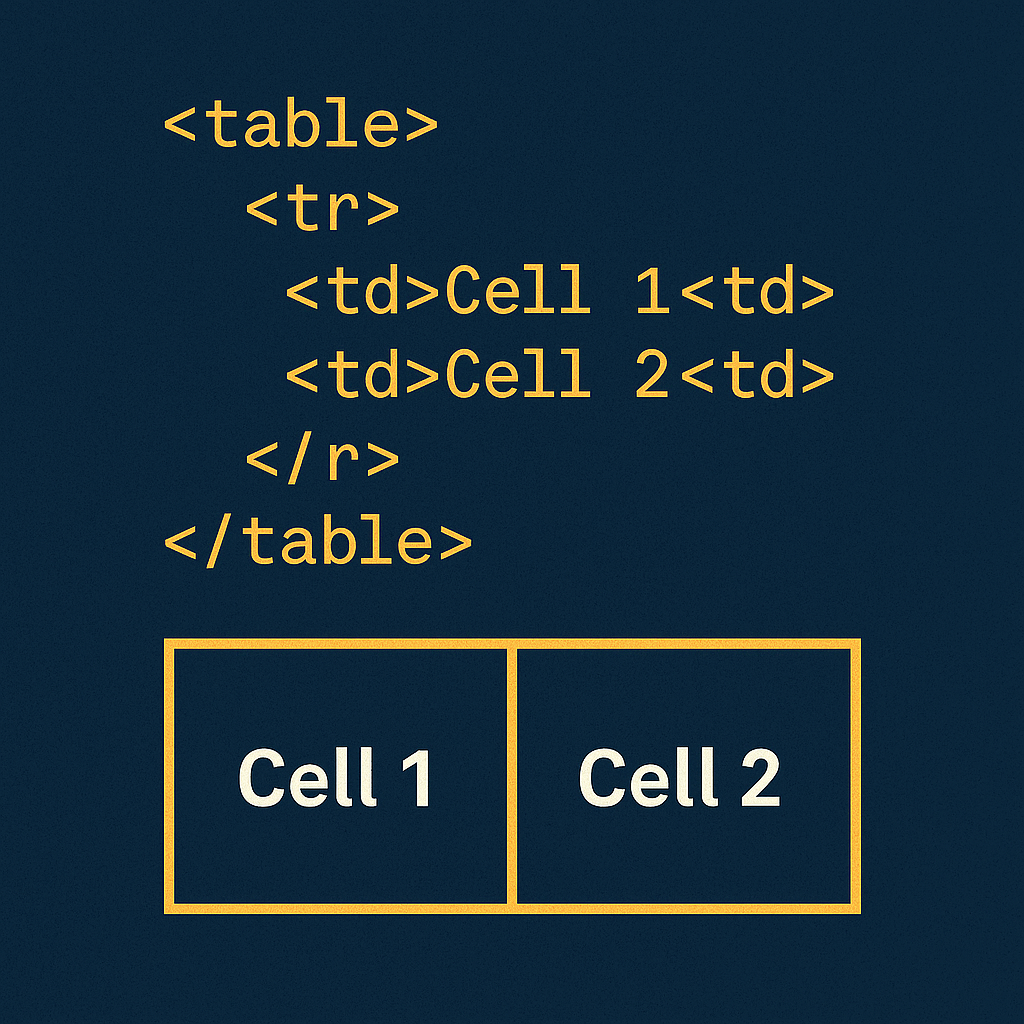
Ever tried organizing a messy desk? Papers everywhere, sticky notes overlapping—total chaos, right? That’s your data without HTML tables. But picture framing a house with clean beams and labeled rooms. That’s what <table>, <tr>, and <td> do for your pricing plans or schedules! Let’s construct something human-friendly together.
Section 1: The Foundation Frame (<table>)
Think of <table> as your concrete foundation—the bedrock that holds your structure. Skip it? Your data collapses like a house of cards.
<table>  <!-- Your structural anchor! -->
  <tr>   <!-- First support beam -->
    <td>Basic Plan</td> <!-- Building block -->
    <td>$5/month</td>
  </tr>
</table>
Pro tip: Always start with <table>. Forget it, and your grid implodes faster than a sandcastle at high tide.
Section 2: Signposts (<th>)
Headers (<th>) are your bold street signs—they scream “PRICES HERE!” Swap <td> for <th> and watch confusion vanish.
<tr>
  <th>Cookie Type</th> <!-- Glaring neon sign! -->
  <th>Stock</th>
</tr>
<tr>
  <td>Chocolate Chip</td>
  <td>120</td> <!-- Standard tile -->
</tr>
Pro tip: Browsers auto-bold <th>. Your future self will toast your wisdom over coffee.
Section 3: Room Grouping (<thead>, <tbody>)
Like organizing rooms on a blueprint, <thead> groups headers while <tbody> holds core data.
<table>
  <caption>Bakery Inventory</caption> <!-- Building nameplate! -->
  <thead> <!-- Lobby directory -->
    <tr><th>Item</th><th>Qty</th></tr>
  </thead>
  <tbody> <!-- Storage rooms -->
    <tr><td>Cupcakes</td><td>36</td></tr>
  </tbody>
</table>
Pro tip: Grouping helps screen readers like labeled floor plans help visitors.
Section 4: Safety Rails (scope)
Tables without scope are like staircases without handrails. Lock headers to rows/columns:
<th scope="col">Price</th> <!-- "This COLUMN = Prices" -->
<th scope="row">Q1</th>   <!-- "This ROW = Quarter 1" -->
Pro tip: scope is mandatory for accessibility. Skip it, and screen readers fumble in the dark.
Section 5: Interior Design (CSS)
Time to paint walls! CSS transforms bland grids into eye-catching displays.
table {
  border-collapse: collapse; /* Seamless drywall! */
  width: 100%;
}
th { background: #FFD700; } /* Accent wall */
tr:nth-child(even) { background: #F5F5F5; } /* Tile pattern */
Pro tip: border-collapse: collapse erases ugly gaps. Without it? Your grid looks like cracked plaster.
Section 6: The Panning Viewport (Responsive Fix)
Wide tables on phones = mansion squeezed into a studio apartment. Fix it with:
<div style="overflow-x:auto;"> <!-- Panoramic window! -->
  <table style="min-width:600px;"> <!-- Blueprint scroll -->
    <!-- Your 10-column floor plan -->
  </table>
</div>
Pro tip: overflow-x: auto enables horizontal panning. Mobile users swipe like architects unrolling blueprints.
Conclusion
→ Anchor first: <table> + <tr> + <td> = your foundation, beams, and tiles.
→ Sign everything: <th> and scope guide users through your grid.
→ Tinker challenge: Build the class schedule. Delete a <tr>. Watch the collapse? Now swap headers with <td>—hear screen readers gasp?
“Websites aren’t built—they’re crafted. If your table wobbles? You’re just missing a nail. Hammer on.”
(My first table missed a </tr>. It looked like a Salvador Dali painting. Embrace the wonkiness!)
New to HTML? Lay your foundation with our Beginner’s HTML Guide
[INSERT_ELEMENTOR id=”122″]

