 Skip to content
The HTML Template Tag That Saved Me from My Own Code Mess
You ever have one of those coding moments where you’re just staring at the screen thinking, “I wrote this? What was I even trying to do here?” Yeah, that was my entire life before I stumbled onto this little HTML tag that basically saved my sanity.
Let me set the scene for you. It’s 2 AM. I’ve been staring at the same JavaScript file for fourteen hours straight. My eyes are doing that weird blurry thing where the code starts to look like alphabet soup. I’m trying to fix this product display that decided to stop working right before a big client demo.
And the problem? My code looked like someone had taken HTML tags and JavaScript strings, thrown them in a blender, and poured the result into my editor. I had quotes inside quotes, broken event handlers, and this gnawing feeling that I was one missing comma away from a complete meltdown.
Which, of course, is exactly what happened. Three hours. Three hours I spent hunting for a single missing comma. I could feel my life slipping away, minute by minute, all because I was trying to build HTML inside JavaScript like some kind of coding masochist.
Then my phone buzzes. It’s my mentor, this old-school developer who’s seen it all. “Still wrestling with that rendering code?” he asks. I start explaining my string concatenation nightmare, and he just chuckles. “Kid, you’re trying to build furniture while it’s still in the box. Why not take the pieces out first?”
Turns out he was talking about this <template> tag thing. Changed everything for me.
So What’s This Magic Tag Anyway?
Let me break it down in normal people terms. You know when you buy furniture from IKEA? The <template> tag is like having all the pieces pre-cut and organized in the box with those little picture instructions. You don’t actually have the chair until you put it together, but all the parts are right there waiting.
Here’s what I’m talking about:
<!-- This sits in your HTML but it's invisible -->
<template id="bookTemplate">
  <div class="book-card">
    <img class="cover" src="" alt="Book cover">
    <h3 class="title"></h3>
    <p class="author"></p>
    <span class="price"></span>
    <button class="buy-btn">Add to Cart</button>
  </div>
</template>
And when you need to actually use it:
// Grab your template blueprint
const template = document.getElementById('bookTemplate');
// Make a fresh copy
const newBook = template.content.cloneNode(true);
// Fill in the blanks
newBook.querySelector('.title').textContent = "The Great Gatsby";
newBook.querySelector('.author').textContent = "F. Scott Fitzgerald";
newBook.querySelector('.price').textContent = "$12.99";
// Pop it into the page
document.getElementById('bookList').appendChild(newBook);
No more string gymnastics. No more broken HTML. Just… sensible code.
The Three Biggest Headaches This Fixed
1. The CSS Class Change Nightmare
Remember that bookstore project I mentioned? Every time our designer wanted to tweak the layout, I’d have to go digging through JavaScript that looked like this hot mess:
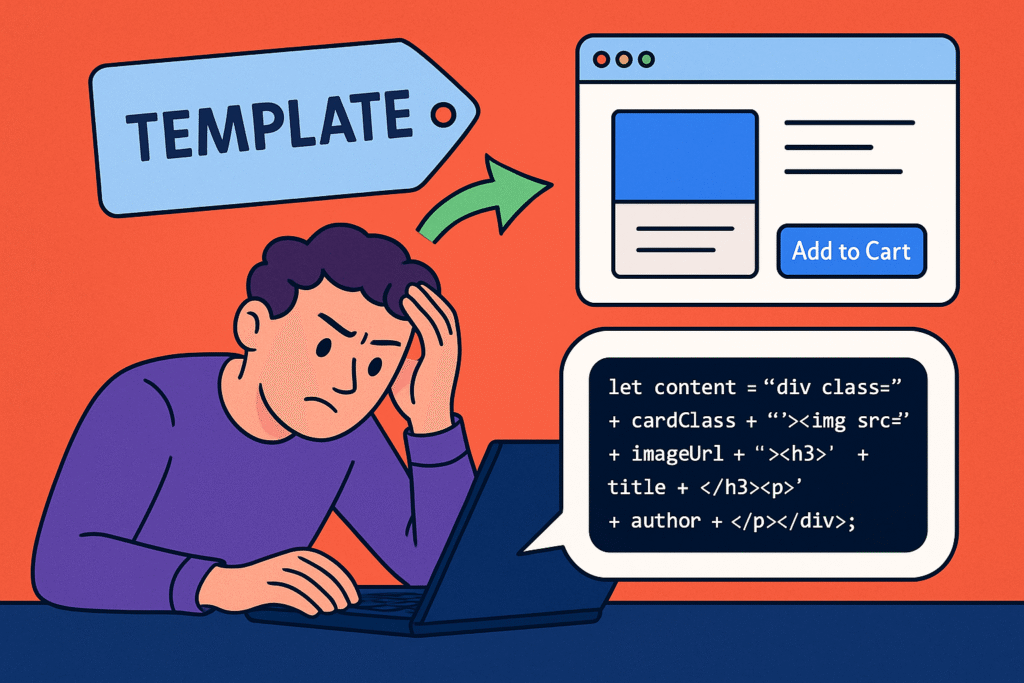
let cardHTML = '<div class="' + cardClass + '"><img src="' + imageUrl + '"><h3>' + title + '</h3><p>' + author + '</p></div>';One wrong move and everything would come crashing down. With templates, I could actually see the HTML structure like a normal human being. Changing a class went from “please don’t break” to “oh, that was easy.”
2. The Never-Ending Form Problem
I had this client who wanted an event registration form where people could keep adding more attendees. My original solution was… well, let’s just say it wasn’t pretty:
let field = document.createElement('input');
field.type = 'text';
field.className = 'attendee-name';
field.placeholder = 'Attendee name';
container.appendChild(field);
// And then repeat this 15 more times for each field type...
I felt like I was building a car by hand-forging every single screw. With templates, I just built one attendee section blueprint and stamped out copies whenever I needed them.
3. The Notification System That Betrayed Me
I built this notification system that worked perfectly – until we tried to add an icon. Turns out my string-based approach had some hidden broken HTML that only showed up with the new content. Lost a whole weekend to that one.
Why This Changed Everything For Me
I Stopped Hitting My Head Against the Wall
There’s something really satisfying about looking at code and actually understanding what it does right away. Templates gave me that. I could come back to a project after months away and actually remember what I was thinking.
My Teammates Stopped Being Afraid of My Code
The best moment was when our junior developer – who’d been terrified to touch my convoluted JavaScript – looked at a template and said, “Oh! So that’s how the product cards work!” He’d been treating my code like a bomb that might explode if he looked at it wrong.
Changes Stopped Being Scary
When the bookstore owner asked me to add ratings below each book title, it took me five minutes. The old me would have spent hours carefully splicing new strings into my existing concatenation mess, praying I didn’t break anything.
The Cool Side Effects I Didn’t See Coming
Accessibility Just Worked
Here’s something neat I didn’t expect: screen readers completely ignore template content until you activate it. So users don’t get bombarded with hearing “Add to Cart button” a hundred times before the page even loads.
Things Actually Got Faster
My pages started feeling more responsive. The browser doesn’t have to parse and render all that template content right away – it waits until you actually need it. For pages with lots of images, this made a real difference.
Designers Could Actually Understand What I Was Doing
I could show templates to our designer and she’d immediately get the structure. “So the book title goes in this h3 tag, and the author here in the paragraph?” she’d ask, pointing at the screen. Suddenly we were having conversations about user experience instead of me just nodding along to technical requirements I didn’t understand.
Mistakes I Made (So You Don’t Have To)
The “Why Is Nothing Showing Up?” Mystery
I once wasted two hours trying to figure out why my template content wasn’t appearing. Turns out I was trying to use the same template content multiple times without cloning it first. The fix was stupid simple once I figured it out:
// What I was doing wrong
document.appendChild(template.content);
document.appendChild(template.content); // Nothing happens!

// The right way
document.appendChild(template.content.cloneNode(true));
document.appendChild(template.content.cloneNode(true)); // Works perfectly!
The “Everything Needs a Template” Phase
I got so excited about templates that I started using them for everything. Even simple one-off elements that would have been easier to create with regular JavaScript. I’ve since learned that templates are amazing for complex, reusable components, but way overkill for simple stuff.
The “Where Did My Styles Go?” Confusion
At first, I didn’t realize that templates don’t automatically pick up styles from the main document until they’re activated. Led to some head-scratching moments where my templates looked completely broken until I added them to the page.
Real World Wins
The Dashboard That Was Too Clever For Its Own Good
I built this analytics dashboard that needed to show different widget types. My first attempt used this super clever factory function that built each widget with custom JavaScript. It was impressive, but absolutely terrifying to maintain.
Templates saved my butt. Each widget type got its own template, and adding new ones became as simple as creating a new HTML blueprint. The client could actually request new widgets without me breaking out in a cold sweat.
The Menu That Spoke Two Languages
A restaurant client wanted their menu in both English and Spanish. Instead of building two completely separate menu systems, I created template blueprints for each language and switched between them based on what the user wanted. What seemed like a massive feature became surprisingly straightforward.
The Restaurant That Had Multiple Personalities
That same restaurant wanted completely different layouts for different nights – casual for weekdays, fancy for weekends. Templates made switching between themes as simple as changing which blueprint we used.
When Templates Are Overkill
I’ve learned the hard way that templates aren’t always the answer:
- Simple one-off elements are often easier with regular DOM methods
- Super dynamic content that changes constantly might need a different approach
- Tiny projects where keeping things simple matters more than long-term maintainability
The trick is knowing when you’re building something that needs a blueprint versus when you’re just hanging a picture frame.
Your Homework
Here’s what I want you to try this week: Find one spot in your current project where you’re building HTML with JavaScript strings. Maybe it’s a notification, a form field, or a content card – something that makes you groan every time you have to touch it.
Try rewriting it with a template. Just one small piece.
Notice how much clearer the structure gets? How much easier it is to read? How much more confident you feel about making changes?
That “why wasn’t I doing this from the beginning?” moment – that’s what sold me on templates for good.
The Real Lesson Here
What templates really taught me was that good code isn’t about being clever – it’s about being clear. It’s about writing stuff that your future self (and the poor soul who has to maintain your code after you) can actually understand.
That bookstore project that started this whole journey? I’m still maintaining it three years later. The owner recently asked me to add a “staff picks” section. It took me twenty minutes instead of the days it would have taken with my old approach.
She emailed me afterwards saying, “You made that look easy!” I wrote back, “That’s because now it actually is.”
“The best code isn’t the fanciest – it’s the most understandable. Templates turned my clever mess into something I could actually read six months later.”
Keep building,
— A developer who finally found the right tool
P.S. That missing comma that started this whole thing? I found it at 3:17 AM. Sometimes you have to learn lessons the hard way – but the important thing is that you actually learn from them.
New to HTML? Start Here: HTML Tutorial for Beginners: Your Complete Introduction to HTML Basics
[INSERT_ELEMENTOR id=”122″]

