 Skip to content
Microdata & Schema.org in HTML: The Secret Language of Search
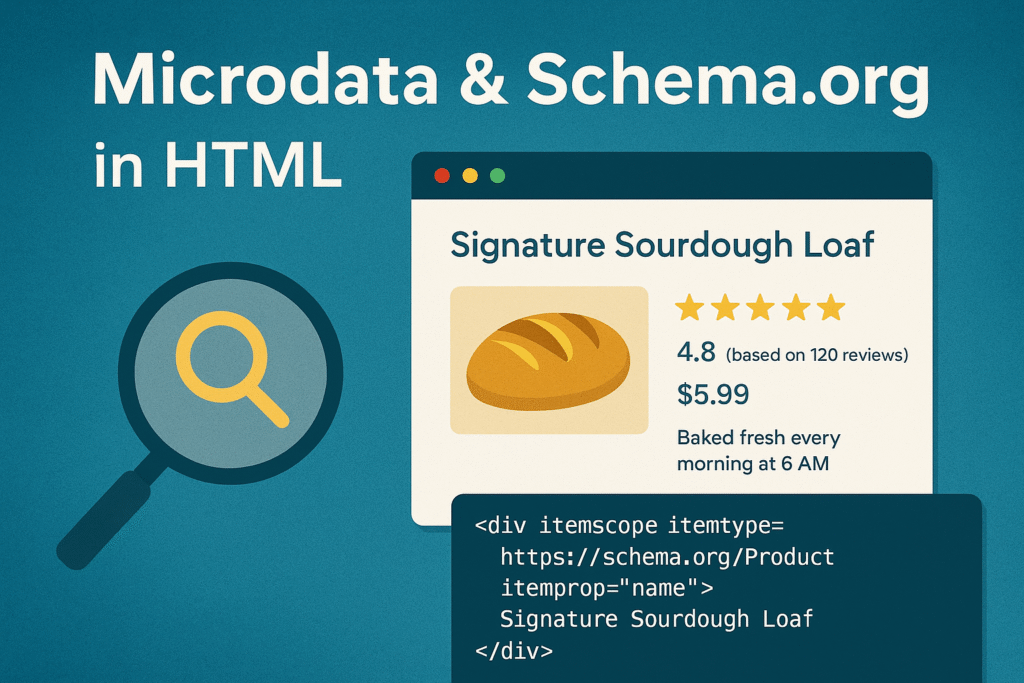
imagine you’ve built the perfect webpage for a local bakery. Your “Signature Sourdough” page has a gorgeous photo, a five-star rating, the price, and the baking time. Any person who visits gets it immediately. But when Google’s crawler comes knocking, it doesn’t see what we see. It just sees a bunch of text and images. It has to guess that “4.8” is a rating, that “$5.99” is a price, and that “Baked fresh daily” is a preparation note. It often guesses wrong.
This is the quiet problem hiding underneath every website. HTML is great at telling a browser how to show information, but it’s terrible at telling a machine what that information actually means.
This is where understanding Microdata & Schema.org in HTML becomes essential. Think of them as a secret code you can weave into your HTML, a way to give search engines a dictionary so they can finally understand your content.
I’ll be honest, I used to think SEO was all about keywords and links. Then I started adding this structured data to my recipe sites. Suddenly, my listings in Google weren’t just blue links. They appeared with golden stars, cooking times, and calorie counts right there in the search results. My click-through rates didn’t just tick up, they exploded. This wasn’t just about ranking higher, it was about giving people a better answer before they even clicked.
Understanding Microdata & Schema.org in HTML
Let’s break it down into simple terms. Microdata & Schema.org in HTML are two parts of a whole, like a pen and a dictionary.
Microdata is the pen. It’s the tool you use to write notes in the margins of your HTML. It uses simple attributes you add to your tags:
itemscope: You’re basically saying, “Hey, everything inside this tag is about one specific thing.”itemtype: This is where you name that “thing.” You point to a URL from Schema.org that says, “This is a Recipe,” or “This is a Product.”itemprop: This is your label maker. You use it to tag pieces of information, likename,price, orimage.
Schema.org is the dictionary. It’s a massive, shared project by Google, Bing, and others that defines what everything is. It provides the definitions for thousands of “things,” like Product, Recipe, LocalBusiness, and Event, and lists all the properties they can have. You can explore the full vocabulary on the official Schema.org website.
When you use them together, you’re giving a machine a guided tour of your content. You’re saying, “This isn’t just a random div, it’s a Product. And this h1 tag? That’s the product’s name. This span with a dollar sign? That’s the price.”
Implementing Microdata & Schema.org in HTML
Let’s take that bakery page and translate it for machines using Microdata & Schema.org in HTML.
Here’s the normal HTML anyone would write:
html
<div>
  <h1>Signature Sourdough Loaf</h1>
  <img src="sourdough.jpg" alt="A crusty sourdough loaf">
  <p>$5.99</p>
  <p>Rating: 4.8 stars (based on 120 reviews)</p>
  <p>Baked fresh every morning at 6 AM.</p>
</div>
It’s perfectly human-friendly, but it leaves a search engine connecting the dots.
Now, here’s the same page with Microdata & Schema.org in HTML added:
html
<div itemscope itemtype="https://schema.org/Product">
  <h1 itemprop="name">Signature Sourdough Loaf</h1>
  <img itemprop="image" src="sourdough.jpg" alt="A crusty sourdough loaf">
  <p>Price: $<span itemprop="price">5.99</span></p>
  <div itemprop="aggregateRating" itemscope itemtype="https://schema.org/AggregateRating">
    <p>Rating: <span itemprop="ratingValue">4.8</span> stars (based on <span itemprop="reviewCount">120</span> reviews)</p>
  </div>
  <p>Preparation time: <span itemprop="prepTime" content="PT30M">30 minutes</span></p>
</div>
See what we did there?
- We declared the whole block is a
Product. - We tagged the heading as the product’s
name. - We tagged the image as the
image. - We wrapped the rating in an
AggregateRatingblock and specified that “4.8” is theratingValueand “120” is thereviewCount. - We even added a machine-friendly code for the prep time (
PT30M) while still showing “30 minutes” to people.
The Practical Benefits of Microdata & Schema.org in HTML
This might look like extra work, but the benefits are anything but theoretical.
1. Your Search Results Will Pop.
This is the big one. When Google understands your page, it can show it as a “Rich Result.” Those are the search listings that have extra bling, like star ratings, photos, or pricing right under the title. They take up more space, they look more trustworthy, and people click on them way more often. You’re not just another link, you’re a destination.
2. You Control Your Knowledge Panel.
For businesses, people, or movies, Google creates those slick information boxes on the side of the search results. By using structured data, you’re feeding the correct info directly into that panel, making sure your brand is represented accurately.
3. You’re Ready for the Future.
Think about voice search. When someone asks their phone, “Find me a sourdough recipe that takes less than an hour,” how does it know? It looks for that prepTime property. By using Microdata & Schema.org in HTML, you’re making your content the perfect answer for voice assistants and the next wave of AI tools.
Getting Started with Microdata & Schema.org in HTML
Don’t try to boil the ocean. Just start with one page.
- Pick Your Most Important Page: What’s your flagship content? A product? A recipe? A service page? Figure out the main thing the page is about.
- Visit Schema.org: Head over to their site and find the type that matches your page. It’s like a giant menu, just find the right category.
- Test Everything: Use Google’s free Rich Result Test tool. You can paste in your code and it will show you exactly what Google sees and if you’ve made any mistakes. It’s like a spellcheck for structured data.
- Keep it Simple: You don’t need to label every single thing. Focus on the big-ticket items: name, image, price, rating. You can always add more later.
A quick note: while I showed you the Microdata way, many developers now prefer a method called JSON-LD, where you write the code in a script tag in the <head> of your page. It’s a bit cleaner and keeps the code separate from your display HTML. The ideas behind it are exactly the same.
A Crucial Warning for Microdata & Schema.org in HTML
This power comes with a big responsibility. Never, ever use structured data to lie. Don’t mark up hidden text or try to pass off a 2-star product as a 5-star one. Google’s webspam team is good at catching this, and the penalty, getting de-listed from search results, is not worth the risk. Just be honest.
Final Thoughts on Microdata & Schema.org in HTML
Learning to use Microdata & Schema.org in HTML changes how you think about building for the web. You stop seeing pages as just documents for people and start seeing them as structured data for both people and machines.
It’s not a weird, advanced trick anymore. It’s a fundamental part of building a modern, visible website. The little bit of time you spend adding this layer of meaning pays you back in more clicks, better visibility, and a site that’s ready for whatever comes next in search. Just pick one page and give it a try. You might be shocked at what happens.
New to HTML? Start Here: HTML Tutorial for Beginners: Your Complete Introduction to HTML Basics
[INSERT_ELEMENTOR id=”122″]

